This article aims to address the issue that the power is weaker than before, suitable for the following models:
✅ Maker Series
✅ Pronto Series
✅ Pro Series
Depending on the status of your machine, the process may take approximately 10 to 20 minutes.
¶ Malfunction
⚠️The laser is losing power and cannot cut through materials of certain thicknesses that it previously could.
¶ Steps to Take
-
Still weak? Proceed with the 45% pulse test by following the video or the steps below.
- Set the maximum and minimum power to 45% from the control panel.
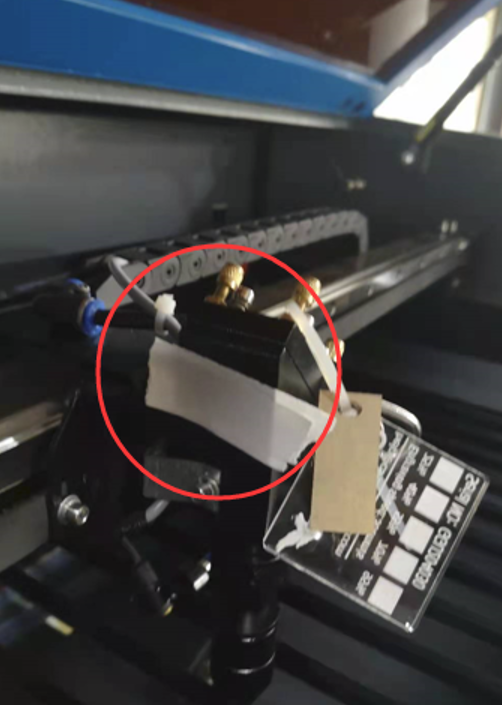
- Attach the 4-layer dimmer tape to 3rd mirror (see the picture below).
- Move the laser head to the middle of the bed.
- Press the PULSE button.
-
Check during firing:
| Component | Observation | Action |
|---|---|---|
| Laser Tube | ⚪ White glow | ➡️ Replace laser tube. |
| Laser Tube and Tape Spot | ✅ Normal (pink) tube color and ❌ Split spot | ➡️ Replace laser tube. |
| Laser Tube and Tape Spot | 🟣 Weak purple tube color, or ✅ Normal (pink) tube color and ❌ Shallow spot (intact tape, unfull or donut spot) |
➡️ Follow the flowchart below to troubleshoot. |
| Laser Tube and Tape Spot | ✅ Normal (pink) tube color and ✅ Full spot | ⤵️ Check engraving factors: ① Material too thick? ② Speed too fast? ③ Power setting too low? ④ Non-laserable material? ⑤ Normal power degradation? |
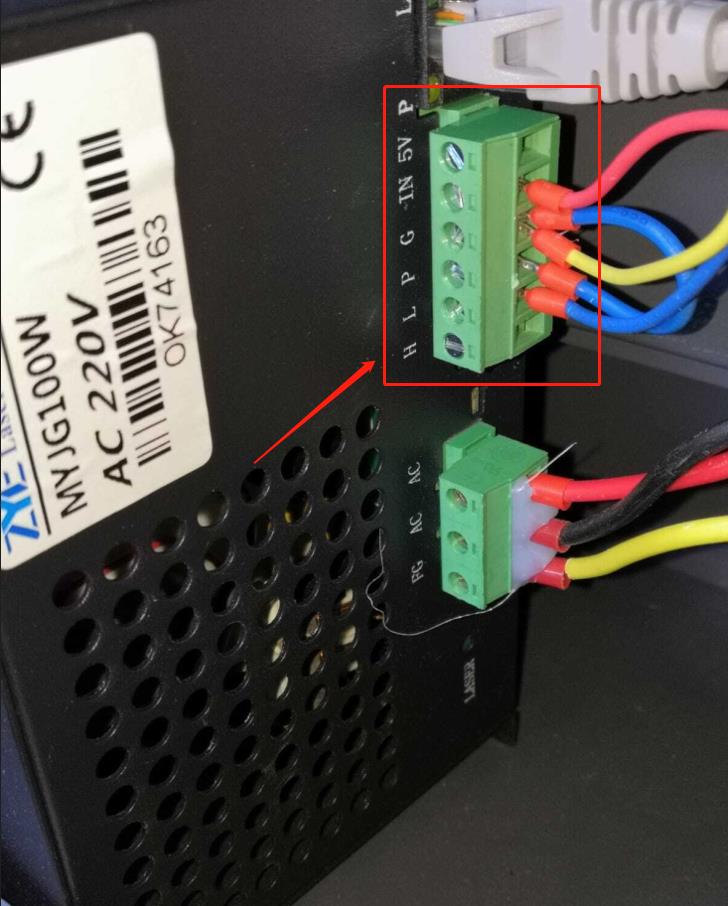
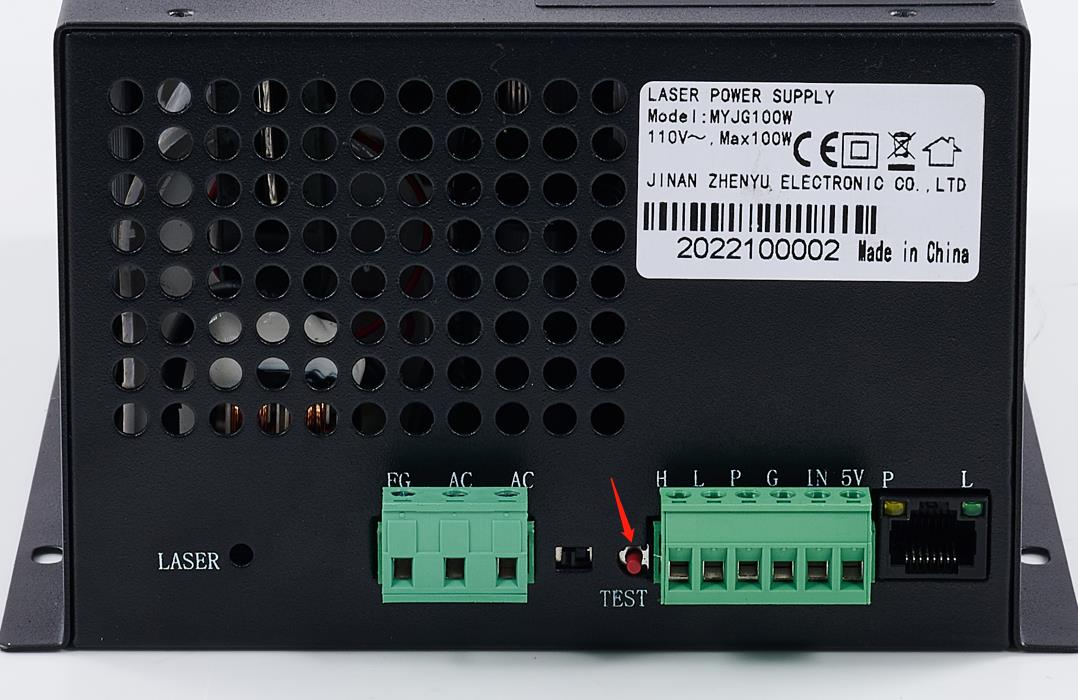
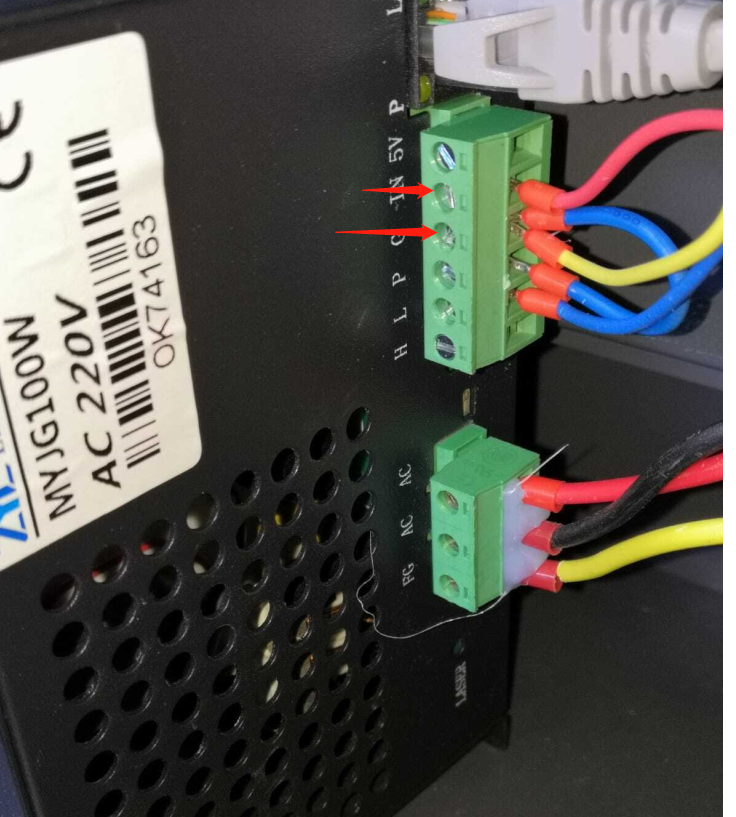
Pictures 1 (left: the 6-pin terminal); Picture 2 (middle: the test button on psu); Picture 3 (right: the IN-GND pin on mainboard)